King by AdsHackers
A full ad team.
Without the agency.
An intelligence that knows your market, your dialect and your season, building your campaigns inside your own ad accounts.
Connects to your accounts on
- Google Ads
- Meta
- TikTok Ads
- Snapchat Ads
- Salla
- Shopify
- Zid
- Google Analytics
- Merchant Center
- Search Console
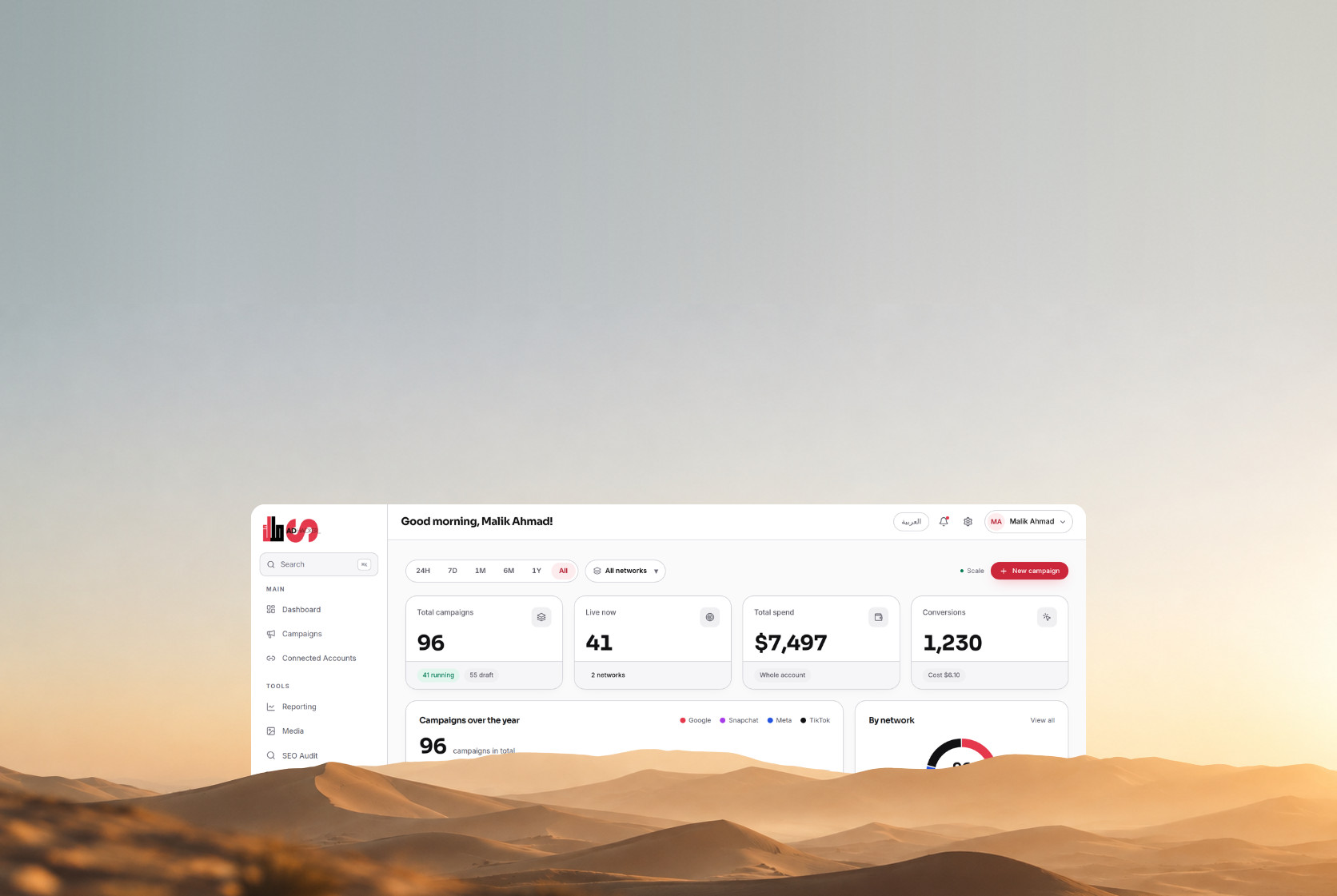
These are the screens you will work in.
Built in Arabic first, not translated from an English dashboard. The figures are an example, and they add up the same way across all four screens.
Four networks and your store in one table, with what needs a decision under it.
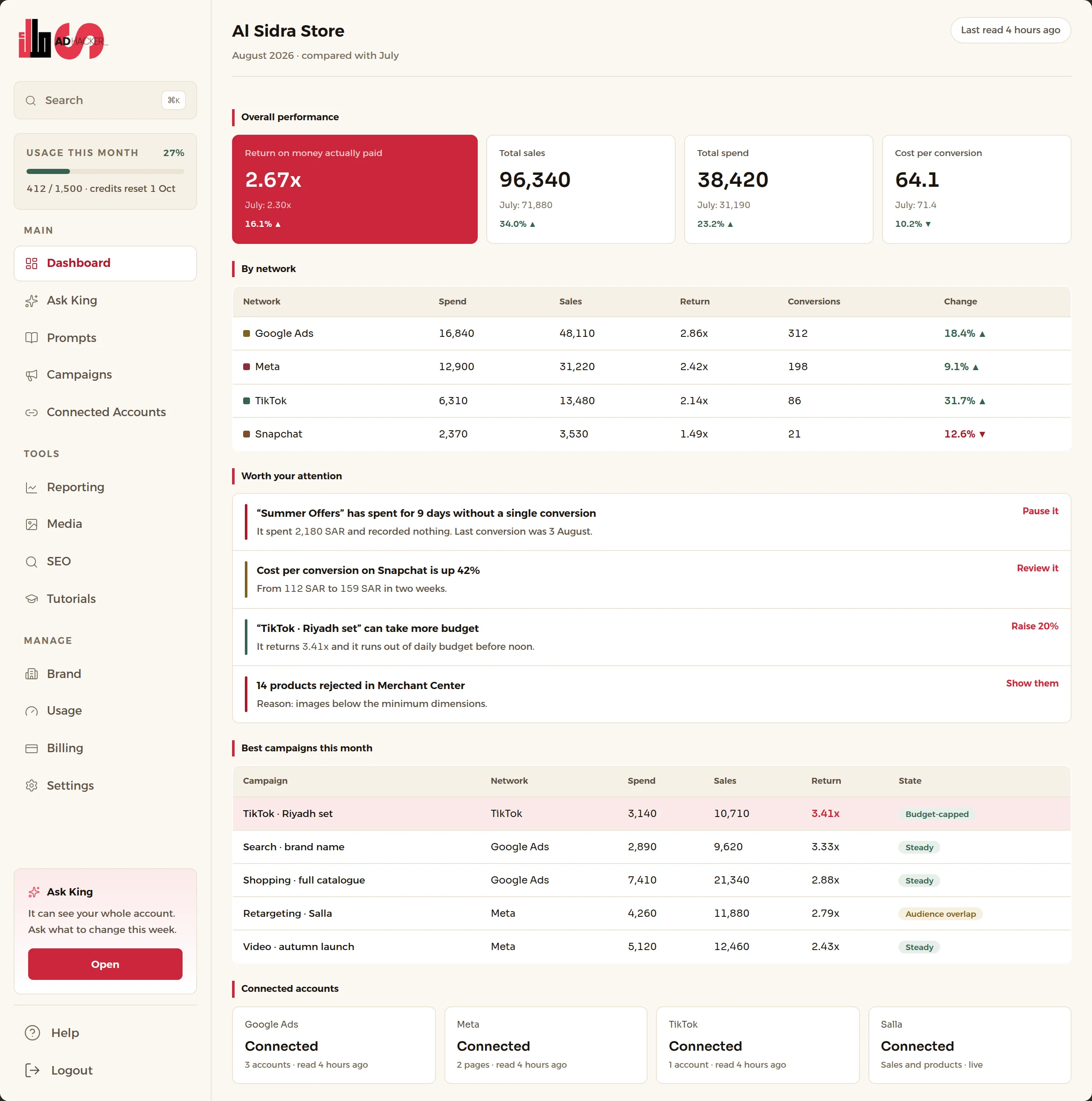
The ad dashboard knows what the pixel saw. Your store knows what sold.
Blocked cookies and privacy rules hide part of your sales from the platforms, so your campaigns look weaker than they are and you kill the winners. Because we read your store, we put both numbers side by side.
One month, worked through
All amounts in SAR · four networks and one store
What the network's dashboard shows
2.04x
Pixel sales ÷ spend
The real return
2.51x
Store sales ÷ spend
After the free credit is removed
2.67x
Store sales ÷ paid
| Total spend across the four networks | 38,420 |
|---|---|
| Of which a free Google ad credit | 2,300 |
| Actually paid out of pocket | 36,120 |
| Sales the pixel attributed to your ads | 78,400 |
| Sales your store actually recorded | 96,340 |
| The difference tracking lost | 17,940 · 18.6% |
The return is computed two ways because 2,300 SAR of that spend was a free Google credit. Dividing by the total measures how well the campaign worked; dividing by what you paid measures what came back on your own money. Both are correct and they answer different questions, so we show both.
Your ads and your SEO, from one conversation.
No four dashboards and no four interfaces to learn. You write to it in plain words; it reads your accounts and your store, builds and edits and publishes, and tells you what to do next and why.
71 capabilities across 8 pillars
- 01
The assistant
Trained on every major ad platform's own documentation, on Arabic and international knowledge, and it updates itself whenever a platform changes.
One conversation runs everything
Write to it in Arabic the way you would write to your marketing manager.
Arabic and international knowledge
The platforms' own documentation · Each network's publishing rules, at send time · What changed on the networks this week
It updates its own knowledge
Every platform update enters its knowledge without anyone doing it by hand.
It teaches you what it cannot do itself
If a step is outside what it can reach, it walks you through doing it yourself.
- 02
Campaign management
From nothing to published, across four networks, with you reviewing and approving.
Build a campaign from nothing
Media, then creative, then campaign and ad set · The objective, and the right conversion event · Unwound if a step is refused · Duplicate, and it always arrives paused
Edit what is running
Pause and resume · Move the daily budget · Bidding and its strategy · Scheduling and time of day
A/B testing
It builds both versions, measures, and tells you which won and why.
Media plan and budget
Splitting budget across campaigns · Pacing spend against the plan · When to raise it, and when to stop
Audiences
Reading your audiences, pixels and creatives · Building a custom audience · Finding overlap between audiences
Keyword and competitor research on Google
Keyword research · Negative keywords burning your budget · The search terms that actually reached you
- 03
Strategy and timing
Not just what happened, but what to do and when.
A strategy to follow
Built on your own account, season and margin, not on a template.
It reminds you a month before the seasons
Ramadan, Eid, White Friday and the local seasons, before it is too late to prepare.
When to raise budget and when to kill a campaign
- 04
Search and content
The audit, the keywords and the content, and if your store is not connected it tells you how to do it yourself.
Fourteen checks on your site
Crawling and indexing · Titles, tags and structure · Speed, Core Web Vitals and mobile · Broken links and orphan pages · The Arabic lang tag most sites forget
Writing the content
A post built on specific keywords · Product copy and category pages · How to publish it on Salla, Zid or Shopify
From Search Console, Merchant Center and Analytics
You have a problem here, and this is what fixes it · The product feed and its rejections · How Google drew your result
- 05
Competitor analysis
It finds them in the search results, then examines each one and measures you against them.
It finds your competitors in search
It scans them one by one
The price gap between you and them · Landing page and product page: which is better and why · Their offers, shipping and returns · Their visible ads and what they say
- 06
The real numbers
Because we reach your store, we compare what you truly spent with what you truly sold. Not only what the pixel caught.
Total spend against total sales
The number that says whether the business is making money, not whether one campaign is.
It catches the conversions tracking lost
Privacy rules and blocked cookies hide part of your sales from the platform. Comparing against the store reveals it.
Return computed two ways
On total spend, and on what you actually paid after free credits are taken out.
Split by network and region
- 07
Reports and alerts
It reaches you on the schedule you pick, with the figure and the recommendation together.
Daily, weekly, or every few days
You choose the rhythm and what is in it, not us.
The monthly performance report
Month against month, with the change on every line · Every figure computed, not one sentence invented · It names the networks it could not read
The opportunity alert
"Raise the budget twenty percent on these campaigns", with the reason behind the number.
The problem alert
A broken connection, a blocked feed, or a campaign that started burning with no return.
- 08
Images and creative
Included in the subscription. In your own brand colours and your own examples, not a generic template.
Image generation
In your brand colours from settings · In the style of the examples you uploaded · Ads sized for each network · Stories and vertical formats
A social content calendar
It teaches you how a good image is made
Why one image worked and another did not, in terms you can hand to your designer.
Frequently asked
Still have questions? hello@adshackers.com
Can it change my campaigns on its own?
No. It reads your accounts through a connection that has had writing removed from it, so it could not change anything even if it were asked to.
When it sees something worth changing it draws a card showing exactly the request it would send, and it acts once you press. Every button that spends money is pressed by you.
Which platforms does it connect to?
Four ad networks: Google Ads, Meta, TikTok and Snapchat, plus your Salla store and Google Analytics.
The whole of Google is on the King plan only. Meta and TikTok connections complete today for accounts holding a role on our own app, until each network's review clears; Google and Snapchat connect for anyone.
How do credits work?
Each plan includes a monthly allowance that meters how much you use the assistant. When it runs out you buy more rather than being cut off. A shop mid-season should not lose the assistant for using it more than expected.
Credits meter usage; they do not confer the product. The assistant needs a plan in force, and credits bought without one wait until there is one.
What happens if I cancel?
Nothing is deleted. Not a business, not a team member, not a campaign, not a conversation. Anything over your plan's limit is locked and kept exactly as it was, and comes back in full the moment the plan covers it again.
Cancelling severs no connection. The one exception is not about money: a plan that does not include a network is not permitted to hold a live connection to it, so that connection ends on a downgrade, and the first read after reconnecting brings your current figures back.
Is there a free trial?
No. Plans start at $19 a month, and on an annual plan you pay for ten months and use twelve.
Because cancelling deletes nothing, the first month is not a commitment: stop whenever you like and everything you built stays where it is.
Is my data used to train models?
We do not sell your data, and we do not use one customer's advertising data to answer another customer's question. There is no benchmark table in the product: your figure is compared to your own history or it is not compared at all.
The assistant runs on Anthropic's models under Anthropic's commercial terms. The AI policy sets out exactly what it reads and what it cannot do.